
Problem Statement:
How do you use SQL Server Reporting Services (SSRS) expression to get sub-string from the inputted text?
Solution:
I am going to show you few SSRS expressions that you can use in your SSRS reports:
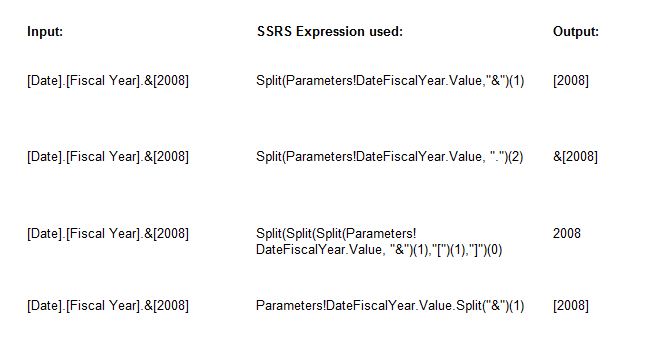
Here’s the same in a text:
Input: SSRS Expression used: Output: [Date].[Fiscal Year].&[2008] Split(Parameters!DateFiscalYear.Value,”&”)(1) [2008] [Date].[Fiscal Year].&[2008] Split(Parameters!DateFiscalYear.Value, “.”)(2) &[2008] [Date].[Fiscal Year].&[2008] Split(Split(Split(Parameters!DateFiscalYear.Value, “&”)(1),”[“)(1),”]”)(0) 2008 [Date].[Fiscal Year].&[2008] Parameters!DateFiscalYear.Value.Split(“&”)(1) [2008]
Conclusion:
In this post, you saw how to use the split function in SQL Server Reporting Services (SSRS) expressions to get a sub-string.