
A quick post on step – by – step to delete a Knowledge Base (KB) in SQL Server 2012 Data Quality Services (DQS):
1. Open the Data Quality Client
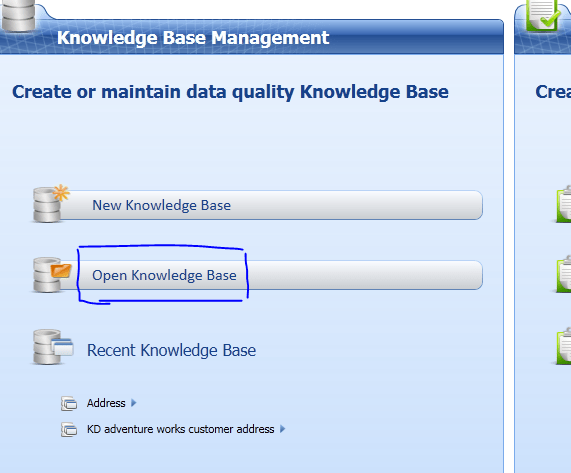
2. Click on “Open Knowledge Base”
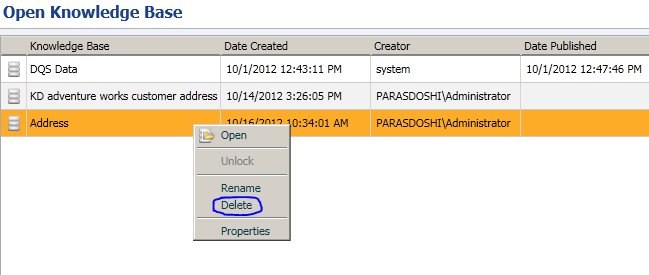
3. Select the KB > Right Mouse Click > Delete.
Note that it also allows you to Rename, Open and see properties of a Knowledge Base via this Knowledge Base Management UI.
That’s about it for this post. I took me five minutes to figure how to delete a KB and so I thought I would document it if someone is not able to find this option as quick as they might have thought. Happy Data Cleaning!
Related articles
How I think of what is KnowledgeBase in SQL Server 2012 Data Quality Services (parasdoshi.com)
SQL Server 2012 – Data Quality Services (DQS) – Learning Resources (dattatreysindol.com)